
Looking to reduce your Squarespace costs as a nonprofit? While Squarespace doesn’t publicly promote special nonprofit-only discounts, there are still a few official and simple ways you can lower your subscription price.
Through Squarespace’s partnership with TechSoup, eligible nonprofits can access exclusive savings on annual plans. Beyond that, you can still stack other ways to save — including regular promo codes, student discounts (if they apply), and the reduced rates that come with paying annually — to make your overall Squarespace subscription even more budget-friendly.
In this guide, we’ll walk you through every discount available for nonprofits, explain how to redeem them, and share extra strategies to help you get the most value when building your website on Squarespace.
Squarespace Discount For Nonprofits: Is It Available?
Unfortunately, Squarespace doesn’t provide nonprofit-specific discounts directly on its main website.
However, thanks to Squarespace’s partnership with TechSoup, eligible nonprofits can still receive an official discount on annual plans. This is the closest thing to a true nonprofit offer and generally gives you around 10% in savings.
Beyond that, nonprofits can also make use of other available discounts and promo codes to further reduce costs. Let’s break down those options in more detail.
Squarespace Discounts And Coupons 2025
While Squarespace doesn’t offer a nonprofit-specific discount, there are several ways you can save on your subscription:
- TechSoup Partnership: Eligible nonprofits can apply through TechSoup to receive a discount on Squarespace annual subscriptions. This program is specifically designed for nonprofit organizations.
- “GIMME10” Coupon: This coupon offers a 10% discount on your first Squarespace purchase. GIMME10 can be used indefinitely, making it a great option for new Squarespace users.

- Annual Discount: Squarespace offers up to a 36% discount when you pay for your subscription annually rather than monthly. This discount applies to all Squarespace plans, making it an excellent way to save money in the long run.
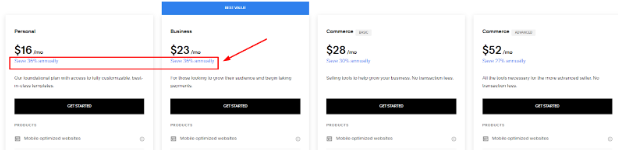
- Student Discount: If you’re a student planning to start a nonprofit organization, you can get a 50% discount on Squarespace plans by verifying your student ID with Student Beans.
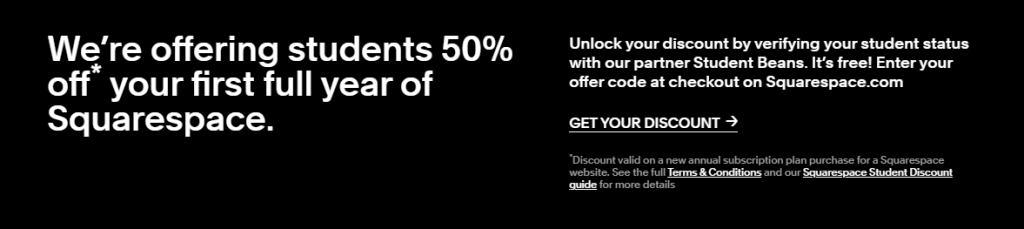
Check our Squarespace Student Discount guide to follow the instructions to get this discount.
How To Claim Squarespace Nonprofit Discount?
To claim the available Squarespace discounts, follow these simple steps:
Step 1: Go to Squarespace’s official website. There is a “get started” button on the homepage; click it.

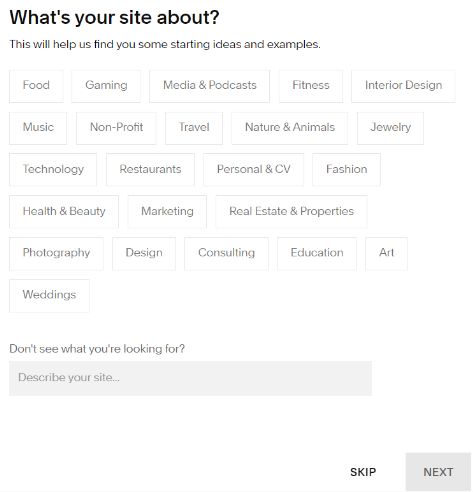
Step 2: Respond to a few inquiries, such as “What is Your Site About.” You can simply select the template yourself and answer these questions.
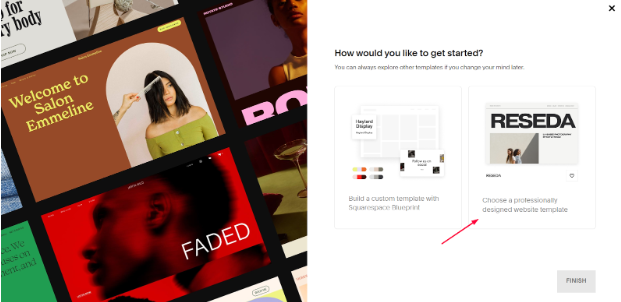
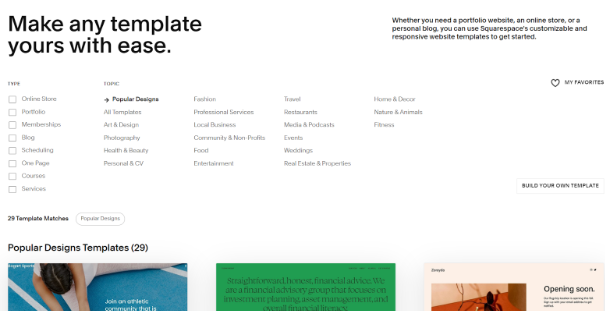
Step 3: You have two options: Select a professionally designed website template or create a custom template using the Squarespace blueprint. I am going to go with a ready-made template.
Step 4: You have two options: either pick a well-liked design or choose a category, then pick a template. I am choosing a template from the most well-liked styles.
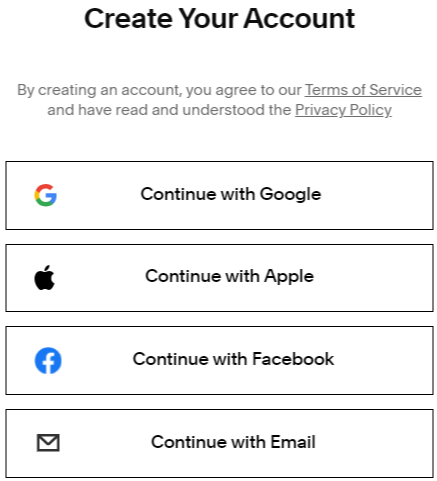
Step 5: Register for a Squarespace account with your Facebook, Apple ID, Google, or email address.
Step 6: You will be prompted to give your website a name after registering for an account.

Step 7: Click the subscribe button that appears at the bottom of your website.

Step 8: Choose a plan to begin your membership at this point.

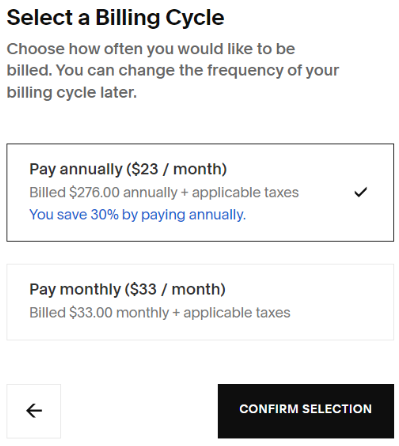
Step 9: Select the plan’s billing period. You have the option of making monthly or annual payments. In order to receive the biggest savings, I have chosen the yearly plan.
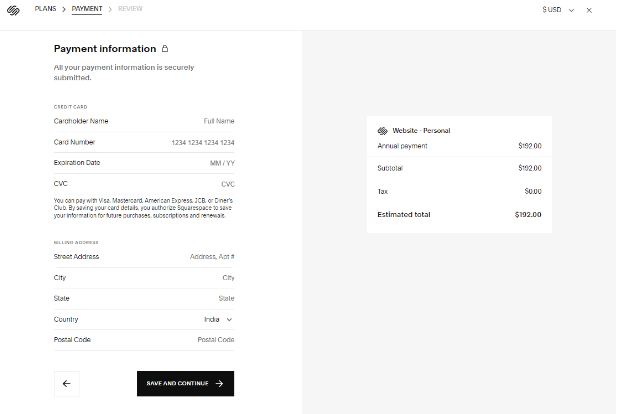
Step 10: On the checkout screen, enter your payment details and billing address.
Step 11: The promo code option will be visible on the last checkout page. To receive the discount, enter the active promo code from above. You can now pay for the plan of your choice and immediately receive the discount.
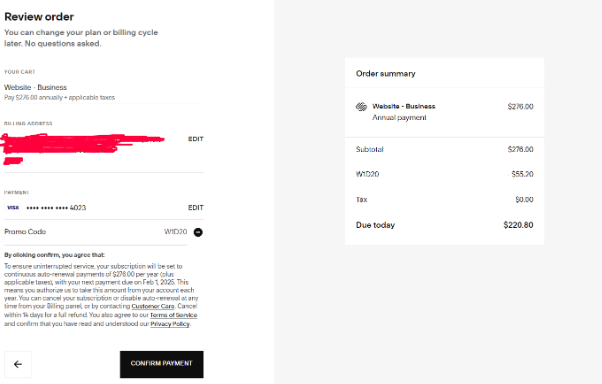
Remember, these discounts are available to all Squarespace users, not just nonprofits. By combining the available coupons and the annual discount, you can maximize your savings and get the most value out of your Squarespace subscription.
Get Started With The Squarespace Free Trial
Squarespace provides a 14-day free trial for all new users, giving nonprofit organizations a great chance to test the platform’s tools and features before deciding on a paid plan. It’s a risk-free way to see whether Squarespace is the right fit for your organization’s website needs.

During the free trial, you can start building your site, customize its design, and experiment with all the tools and integrations Squarespace provides. This gives you plenty of time to make sure the platform aligns with your nonprofit’s goals before committing to any paid plan.
If you choose to stick with Squarespace after your trial ends, you can easily move your site and all your content over to a paid plan without any hassle — and you’ll be able to apply any discounts or offers available at the time to help keep your costs down.
Squarespace Pricing For Nonprofits
Squarespace’s pricing structure is the same for all users, including nonprofits. The available plans and their respective pricing are as follows:
| Plans | Monthly Pricing | Annual Pricing |
|---|---|---|
| Personal | $25/month | $16/month |
| Business | $36/month | $23/month |
| Commerce | $40/month | $28/month |
| Commerce Advanced | $72/month | $52/month |
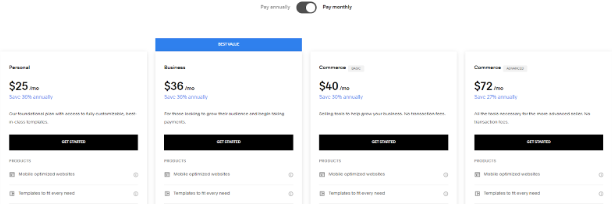
Keep in mind that choosing an annual plan can help you save up to 36% on your Squarespace subscription, making it a much more budget-friendly option for your nonprofit.
Squarespace Refund Policy
Squarespace offers a 14-day refund policy to users who have purchased any annual plan for the first time. You can cancel your annual subscription within the first 14 days of purchase to get a full refund. Also, note that the refund policy is not applicable to monthly plans.
Benefits Of Squarespace For Nonprofits
Squarespace offers several features that can be particularly useful for nonprofit organizations:
- Responsive Design: Squarespace websites are immediately mobile-responsive, ensuring your website looks great and functions seamlessly across all devices.
- E-Commerce Capabilities: Squarespace’s e-commerce tools allow you to sell merchandise, tickets, or other products online, with features like abandoned cart recovery and advanced shipping options.
- Visually Appealing Designs: Squarespace is known for its beautiful, customizable templates, making it easy to create a visually stunning website that reflects your nonprofit’s branding and mission.
- Donation Functionality: Squarespace’s Donation Block allows you to accept one-time donations through integrated payment processors like Stripe or PayPal.
- Blogging and Content Management: Squarespace’s built-in blogging and content management tools make it easy to share your nonprofit’s stories, updates, and events with your audience.
- Customer Support and Resources: Squarespace offers 24/7 customer support and a wealth of educational resources, including tutorials, webinars, and a user community, to help you make the most of the platform.
Conclusion: There is no Special Non-profit Discount on Squarespace
Squarespace doesn’t offer a universal nonprofit discount on its own, but eligible organizations can apply through TechSoup to receive one. Beyond that, you can still stack additional savings — such as the annual billing discount, promo codes, or even a student discount if it applies to someone on your team.
Remember, Squarespace’s pricing and promo offers are the same for everyone unless you apply through TechSoup for the nonprofit-specific discount. If you’re new to the platform, it’s a smart idea to start with the 14-day free trial so you can explore everything before committing to a paid plan. Once you’re ready, choose the plan that fits your needs and apply the best available discount while it’s still active.
