
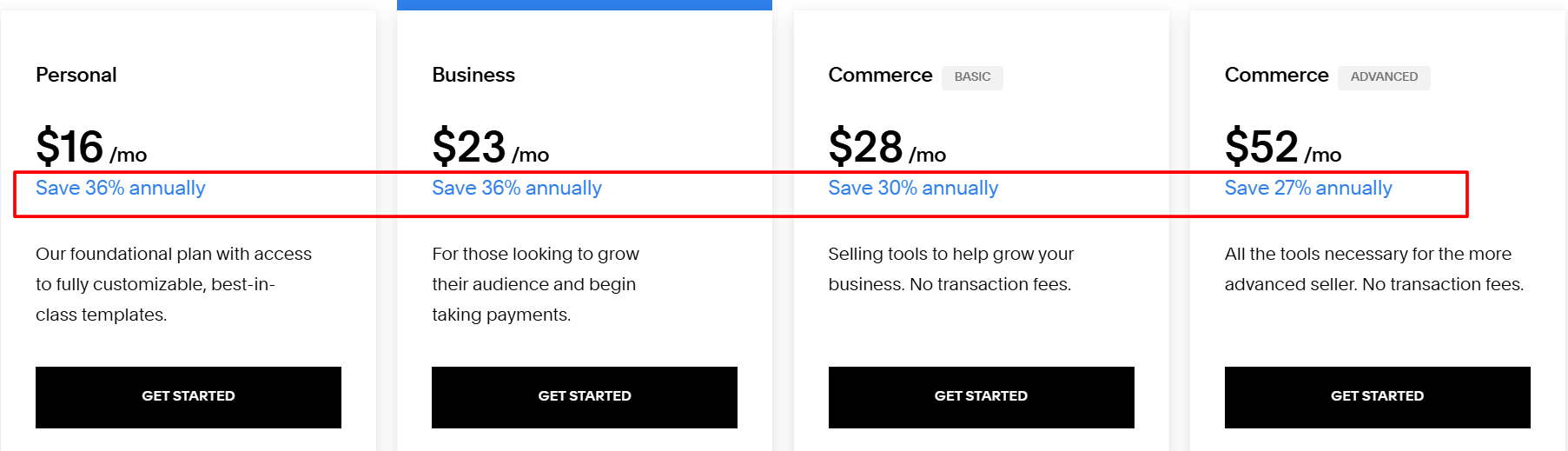
Squarespace makes it incredibly easy to create a professional-looking website, even if you’ve never written a line of code. Pricing starts at $16 per month when you choose annual billing, and you can save up to 36% just by paying for the year upfront.
Students can also enjoy an additional 50% discount on their first year, making Squarespace even more budget-friendly and accessible.
In this guide, I’ll walk you through every Squarespace pricing plan, break down what each one includes, and show you how to save money using available discounts and offers. By the end, you’ll know exactly which plan fits your website needs and budget the best.
How Much Does Squarespace Cost? (Detailed Pricing Breakdown)
Squarespace offers four pricing plans catering to a range of users and business needs.
| Squarespace Plans | Monthly Price | Annual Price |
|---|---|---|
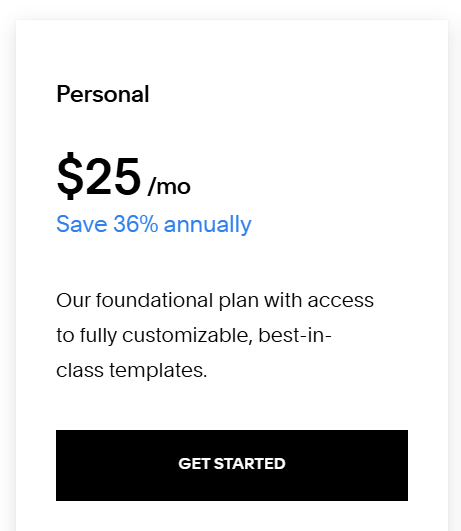
| Personal | $25/month | $16/month |
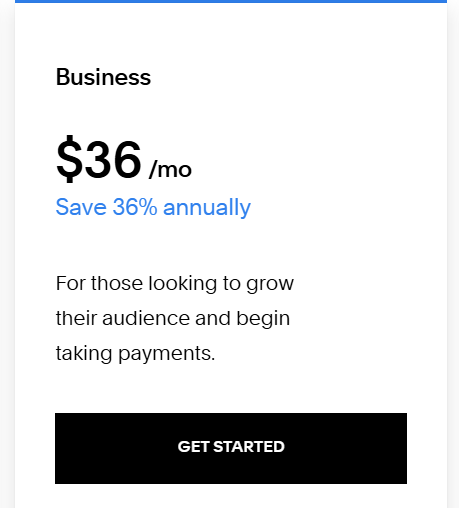
| Business | $36/month | $23/month |
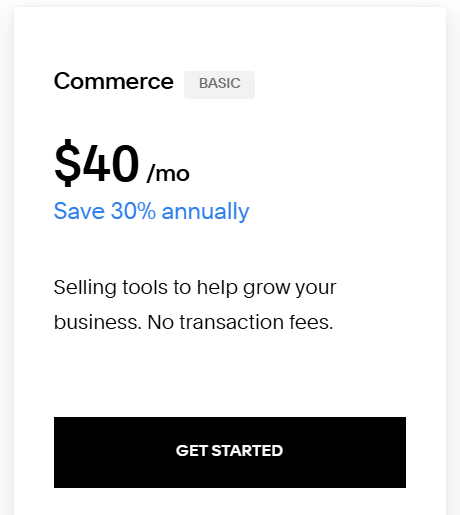
| Commerce | $40/month | $28/month |
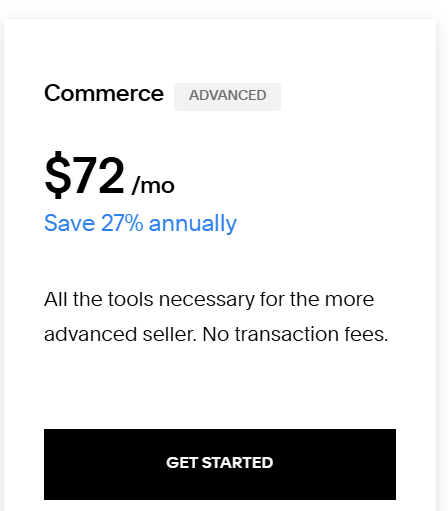
| Commerce Advanced | $72/month | $52/month |
Let’s get into the specifics of each plan:
1. Personal – $25/month or $16/month (If Paid Annually)
The Personal plan is a great fit for individuals, hobbyists, and small businesses that only need a simple, clean website. It works especially well for online portfolios, personal blogs, or small informational sites where you don’t need advanced features but still want a polished, professional look.
What’s included in the Squarespace Personal plan?
- Unlimited bandwidth and storage
- Mobile-optimized templates and a user-friendly drag-and-drop editor
- Built-in SEO tools and Google Analytics integration
- 24/7 customer support
- Free custom domain for the first year (with annual plan)
- No e-commerce capabilities
2. Business – $36/month or $23/month (If Paid Annually)
The Business plan is geared towards small businesses, side hustles, and entrepreneurs who require more advanced features, such as e-commerce functionality and professional branding. This is also the best-value plan preferred by many Squarespace users.
What’s included in the Squarespace Business plan?
- All the features of the Personal plan
- Integrated e-commerce tools, including the ability to sell unlimited products and services
- 3% transaction fees on sales
- Advanced website analytics and customization options
- Professional email hosting through Google Workspace
3. Commerce – $40/month or $28/month (If Paid Annually)
The Commerce plan is built for small to medium-sized businesses that are expanding their online stores and need more advanced e-commerce features. That said, it’s not the only option for creating an online shop — there are other solutions depending on your goals and budget.
What’s included in the Squarespace Commerce plan?
- All the features of the Business plan
- No transaction fees on sales
- Advanced shipping and tax options
- Abandoned cart recovery
- Discounts and subscription-based sales
4. Commerce Advanced – $72/month or $52/month (If Paid Annually)
The Commerce Advanced plan is tailored for larger online stores, enterprises, and businesses with sophisticated e-commerce requirements, such as custom APIs and advanced shipping and discounting features.
What’s included in the Squarespace Commerce Advanced plan?
- All the features of the Commerce plan
- No transaction fees on sales
- Advanced shipping tools, including custom shipping rates and free shipping
- Powerful discount and subscription management
- Access to custom commerce APIs for seamless integration
Additional Costs Of Squarespace To Consider
While Squarespace’s pricing plans are transparent, there are a few additional costs to keep in mind:
- Transaction Fees: For the Business plan, Squarespace charges a 3% transaction fee on all sales. The Commerce and Commerce Advanced plans, however, are free of transaction fees.
- Domain Purchase: Squarespace provides a free custom domain for the first year when you sign up for an annual plan. After the initial year, you’ll need to pay $20 to $70 per year to renew the domain.
- Add-ons, Plugins, and Extensions: Squarespace offers a range of optional add-ons, such as Acuity Scheduling and the Digital Products add-on, which come with their own
subscription fees. If you add them to your website, it will add to your initial investment. - Email Campaigns: While Squarespace provides a free Google Workspace email account for the Business, Commerce, and Commerce Advanced plans, additional user accounts will incur a monthly fee.
Squarespace Refund Policy
Squarespace does have a refund policy, but there are some terms to claim the refund:
Annual Subscription Refund: If you’re not satisfied with Squarespace, you can request a full refund within 14 days of your annual subscription purchase. This applies to the first year’s subscription only. You won’t get a refund on the monthly subscription.
Domain Refund: Squarespace offers a 5-day refund policy for domain purchases. If you’re not satisfied with your domain, you can request a refund within 5 days of your purchase.
How To Get Squarespace For Cheaper? (Squarespace Discounts & Offers)
If the subscription costs feel a bit expensive to you, Squarespace offers several ways to save on its pricing plans:
1. Annual Discount
When you pay for a full year upfront, you can save up to 36% compared to the regular month-to-month pricing. Plus, as a bonus, Squarespace includes a free custom domain for your first year, giving you even more value for committing annually.
2. Student Discount
Students can receive a 50% discount on their first year of Squarespace by verifying their student status.

3. Coupon Codes
Squarespace occasionally releases promotional codes, such as “GIMME10,” which can provide an additional 10% discount on your chosen plan. Look at the website during sales events and other specific occasions to find a deal.

Is There A Free Trial On Squarespace Pricing Plans?
Squarespace offers a 14-day free trial on all of its pricing plans. During this trial period, you can explore the platform’s features, customize your website, and test the various functionalities without any financial commitment.
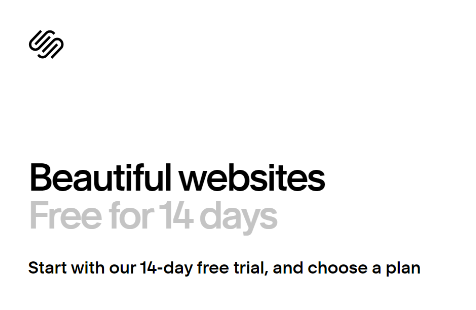
The free trial allows you to experience Squarespace firsthand and make an informed decision before subscribing to a paid plan.
During the free trial, you can explore Squarespace’s features and functionalities, but you can’t publish your website or connect a custom domain. Your website will remain private and accessible only to you or any users you choose to invite.
Which Squarespace Plan Offers The Best Value For Money?
While each Squarespace plan caters to different user needs, the Business plan offers the best value for most small and medium-sized businesses.
For $23 per month when billed annually, the Business plan gives you a well-rounded set of tools, including full e-commerce functionality, advanced analytics, and a range of professional branding features to help your website stand out.
However, you can choose:
- The Personal plan is for you if you are planning to build a website, not sell products.
- The Business plan is if you want to access the eCommerce features (to sell a couple of products), along with website-building.
- The Commerce plan is for those who want to sell products or services online.
- The Commerce Advanced plan is for you if you have a larger or more sophisticated online store.
Important Note: Evaluate your needs before subscribing to one of its plans. Check all the features and tools available with each plan and select the one that fits your ultimate needs and budget.
Is Squarespace Worth It?
Squarespace’s easy-to-use platform, beautiful templates, and strong lineup of features make it a solid investment for all kinds of users — from beginners to growing businesses looking for a professional online presence.
Here’s why Squarespace is worth considering:
- Ease of Use: Squarespace’s drag-and-drop editor and user-friendly interface allow even novice users to create professional-looking websites with minimal technical expertise.
- Design Quality: Squarespace’s template library features visually appealing, responsive designs that can elevate the online presence of businesses and individuals alike.
- Functionality: From e-commerce and SEO tools to audience engagement features, Squarespace’s plans offer a comprehensive suite of capabilities to support your online goals.
- Mobile-Optimized Websites: Squarespace’s templates are designed to be fully responsive, ensuring that your website looks great and functions seamlessly on any device, from desktops to smartphones.
- Integrated Analytics: Squarespace provides built-in analytics tools that allow you to track your website’s performance, visitor behavior, and other crucial metrics, helping you make informed decisions about your online presence.
If you don’t believe me, Squarespace’s users consistently praise the platform’s ease of use, customer support, and the positive impact it has had on their online presence and business growth.
Here are some Squarespace user reviews to support my statement:
Related Posts:
Conclusion: Squarespace’s Pricing Starts From $16/month!
Squarespace’s clear pricing structure — with multiple plans and upfront costs — makes it an appealing option for both individuals and businesses looking to build a solid online presence. Still, it’s important to take a moment to evaluate your specific needs and goals before choosing the plan that fits best.
To help you make the right choice, Squarespace offers an exclusive 14-day free trial on any plan you select, giving you plenty of time to explore the features and see if it’s the right fit for your business. And when you’re ready to subscribe, don’t forget to take advantage of available coupons and occasional discounts to save on your first purchase.
With the right plan and a thoughtful approach, Squarespace can help you build visually stunning, highly functional websites — making your investment feel both worthwhile and well-justified.
FAQs
What is the cheapest Squarespace plan?
The cheapest Squarespace plan is the Personal plan, which starts at $16 per month when paid annually.
Does Squarespace offer a free plan?
Squarespace does not offer a free plan. However, they provide a 14-day free trial, allowing you to test the platform before committing to a paid subscription.
Can I cancel my Squarespace subscription at any time?
You can cancel your Squarespace subscription at any time. However, the company does not offer refunds for partial billing periods.
How do I get a domain for my Squarespace website?
Squarespace provides a free custom domain for the first year when you sign up for an annual plan. After the first year, you’ll need to pay $20 to $70 per year to renew the domain.
